Komiko AI
FreemiumKomiko AI manga and comic creation platform that generates panel-by-panel illustrations with consistent characters and art style.
📋 About Komiko AI
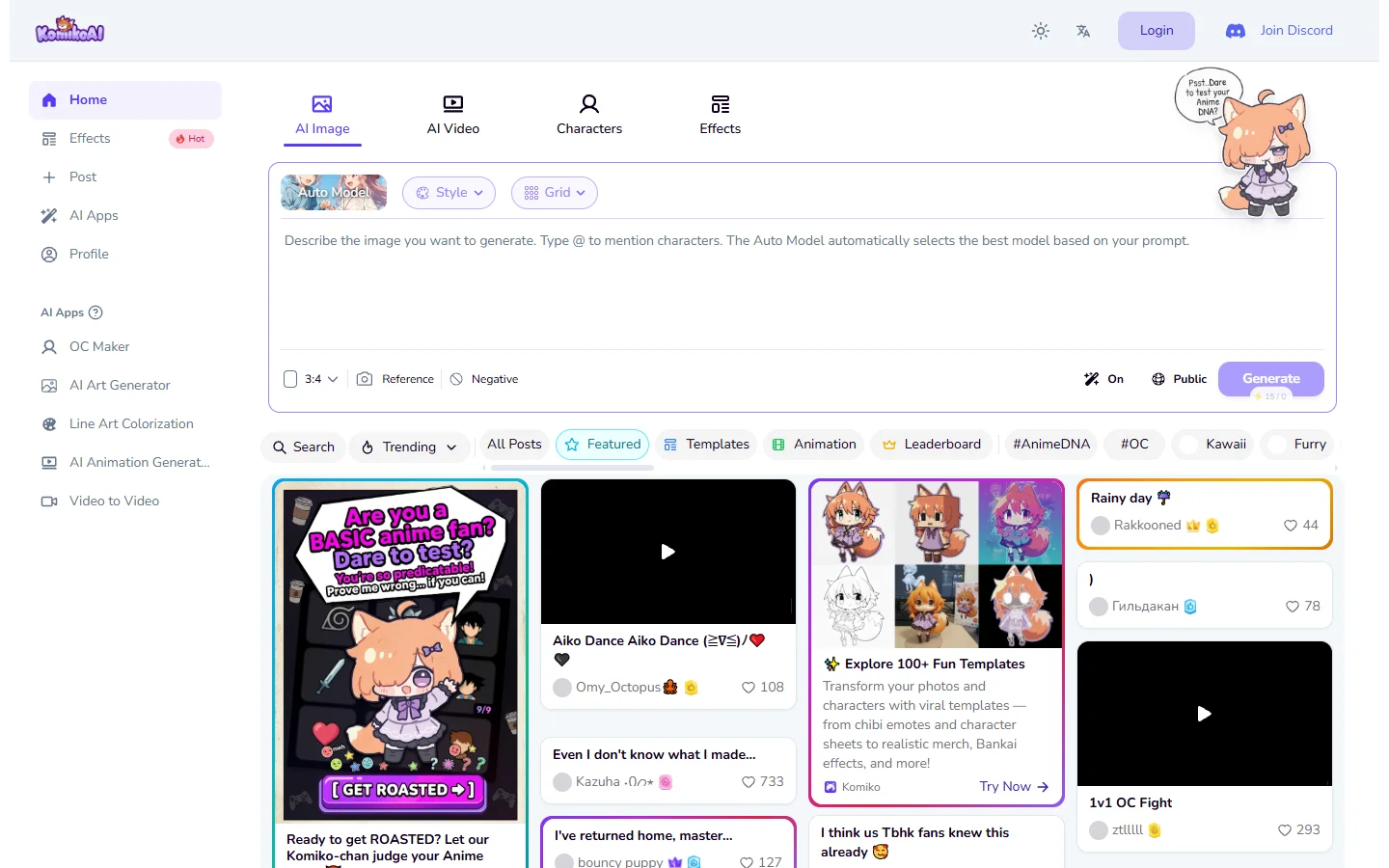
Komiko AI is a komiko ai manga and comic creation platform that uses AI image generation to help users produce illustrated comics, webtoons, and manga-style narratives without requiring professional drawing skills. The platform is built around the visual storytelling workflow: users define characters, scenes, and story beats, and the AI generates panel-by-panel illustrations that maintain visual consistency across the comic. The result is a tool aimed at writers, indie creators, and hobbyists who have stories to tell but lack the illustration background to produce them visually.
The core challenge Komiko addresses is character consistency across multiple generated panels, which is a known weakness of general-purpose image generation tools. When a character appears in panel one and panel twelve, they need to look like the same person in the same art style. Komiko's approach to character definition and style locking is designed to maintain this consistency across a complete comic page or story arc, reducing the visual discontinuity that makes AI-generated comics feel fragmented.
Komiko AI operates on a freemium basis, with limited free generation and paid plans that unlock higher panel counts, more style options, and commercial usage rights. The platform targets manga and anime-style aesthetics in particular, serving the large community of creators in those genres who want to self-publish webtoons or manga chapters without commissioning traditional illustration work.
⚡ Key Features of Komiko AI
Consistent Character Generation Across Panels
Maintains visual consistency for user-defined characters across multiple comic panels so the same character looks recognizably identical in different scenes, poses, and lighting conditions. Users define a character's appearance once and the system references that definition when generating each subsequent panel featuring that character. Consistency is one of the hardest problems in AI comic creation, and Komiko's approach to character locking directly targets this limitation. Results may still require review and regeneration for panels where consistency drifts.
Panel Layout and Scene Composition
Generates individual panels with composition appropriate for comic storytelling including framing, character placement, background detail, and visual pacing. Users can specify scene descriptions, character actions, and emotional beats per panel and the system translates those into visual compositions. Panel-to-panel transitions can reflect standard comic pacing conventions including close-ups, establishing shots, and action sequences. Layout arrangement into comic pages is supported for final export.
Manga and Anime Art Style Support
Specializes in manga and anime visual aesthetics including line art, shading styles, character proportions, and expressive conventions common in Japanese comics and webtoon formats. Style options allow users to select from different manga subgenre aesthetics including shonen, shojo, seinen, and webtoon line styles. Style consistency is maintained across all panels in a project alongside character consistency. Style selection is a key differentiator for creators working specifically within manga and anime creative traditions.
Story and Script Input
Accepts story scripts or scene-by-scene descriptions as input to drive panel generation, allowing writers to work from their existing story structure rather than generating images without narrative context. Script input can be as detailed or brief as the user prefers, with more specific descriptions producing more intentional compositions. The workflow mirrors how professional comics are produced: script first, then visual interpretation. Panel count per story chapter is configurable within plan limits.
Dialogue and Speech Bubble Integration
Supports adding speech bubbles, thought bubbles, caption boxes, and sound effects text to generated panels within the platform rather than requiring external editing tools for text overlay. Text placement respects the panel composition to avoid covering key visual elements. Font and bubble style options align with manga and webtoon visual conventions. Dialogue integration within the platform reduces the post-production steps needed before sharing or publishing a completed page.
Export and Publishing Options
Exports completed comic pages in formats suitable for web publishing, print layout, and platform-specific webtoon upload requirements. Export resolution and file format options accommodate different publishing destinations including personal websites, webtoon platforms, and print-on-demand services. Commercial usage rights for exported content depend on the active subscription plan. The export workflow is designed to be the final step in a complete in-platform creation process.
🎯 Use Cases for Komiko AI
⚖️ Komiko AI Pros & Cons
Advantages
- ✓Character consistency across panels addresses the most significant weakness of using general AI image tools for comics
- ✓Manga and anime style specialization serves a large and underserved creator community
- ✓Dialogue and speech bubble integration reduces post-production steps before publishing
- ✓Script-driven workflow suits writers who want to start from story structure rather than visual prompts
- ✓Freemium access allows hobbyist creators to use core features without a subscription
Drawbacks
- ✗Character consistency, while better than general tools, may still drift and require panel regeneration on complex projects
- ✗Manga and anime style specialization limits the platform's usefulness for creators working in other visual styles
- ✗Commercial usage rights require a paid plan, limiting free-tier use to personal and non-commercial projects
📖 How to Use Komiko AI
Create a free account at komiko.ai and start a new comic project by entering a title and selecting your target art style.
Define your main characters by providing appearance descriptions including hair, features, clothing, and any distinguishing visual traits.
Write or paste your scene script or panel-by-panel descriptions into the story input area.
Generate panels one at a time or in sequence, reviewing each for character consistency and composition quality.
Add dialogue, captions, and speech bubbles to panels using the built-in text overlay tools.
Export completed comic pages in your preferred format and publish or share the finished work.
❓ Komiko AI FAQ
Komiko AI uses character definition data provided during setup to reference the same visual description when generating each panel featuring that character. This reduces the random variation that general image generation tools produce when asked to draw the same character repeatedly, though some manual review and regeneration may still be needed.
Komiko AI specializes in manga and anime-inspired art styles including shonen, shojo, seinen, and webtoon aesthetics. Style options are selected at the project level and maintained consistently across all panels in that project.
Commercial usage rights depend on your subscription plan. Free-tier generations are typically restricted to personal and non-commercial use. Paid plans include commercial usage rights for exported content. Review the current komiko.ai terms for the specific rights attached to each plan.
No. Komiko AI is designed for writers and storytellers who want to produce comics without illustration skills. The system generates visuals from text descriptions, so the primary input skill required is writing scene descriptions clearly enough to get useful panel compositions.
The free plan includes a limited number of panel generations per month. Specific limits should be confirmed on the current komiko.ai pricing page, as these may change. Paid plans increase the monthly generation allowance significantly.
Related to Komiko AI


Featured on WhatIf.ai
Add this badge to your website to show you're listed on WhatIf AI
Alternatives to Komiko AI

Aragon AI
Aragon AI professional headshot generator that creates studio-quality portrait photos from uploaded selfies using a personalized AI model.

ArtGuru AI
ArtGuru AI generates images from text prompts in a wide range of artistic styles, with additional tools for face enhancement, background removal, and image upscaling.

Dezgo AI
Dezgo AI is a free text-to-image generator powered by Stable Diffusion models, offering multiple model options and image editing tools in the browser.

Dzine AI
Dzine AI graphic design platform that combines AI image generation with templates and design tools for ready-to-use marketing visuals.