
Meshy AI
Freemium ✓ Verified 🔥 TrendingMeshy AI converts text prompts and images into textured 3D models exportable to Unity, Unreal, Blender, and more.
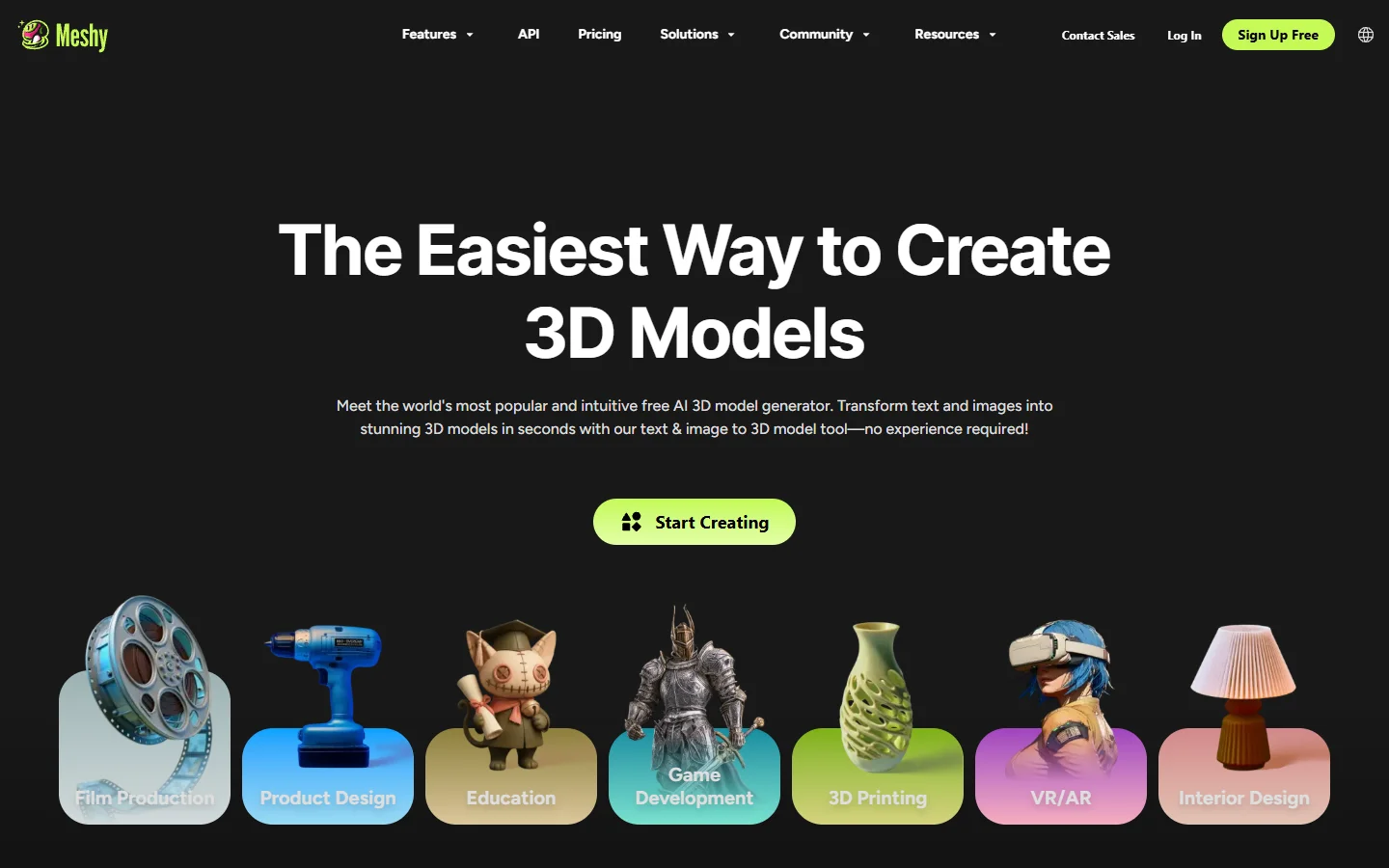
📋 About Meshy AI
Meshy AI is a meshy ai 3D model generation platform that converts text prompts and reference images into production-ready 3D assets within minutes. The tool targets game developers, product designers, and 3D artists who need rapid asset prototyping without the time cost of manual modeling in tools like Blender or Maya. Meshy AI supports two primary workflows: text-to-3D generates a mesh directly from a written description, while image-to-3D reconstructs a reference photo or illustration as a three-dimensional model.
Generated assets include UV-unwrapped geometry and AI-generated PBR textures — albedo, normal, roughness, and metallic maps — which reduces the post-generation cleanup work that plagues most AI 3D tools and makes assets more immediately usable in game engines without extensive manual texturing. As an AI 3D model generator, the meshy ai platform exports to common formats including GLB, FBX, OBJ, and STL, making assets immediately importable into Unity, Unreal Engine, Blender, Cinema 4D, and standard 3D printing pipelines.
The freemium tier provides monthly credits for free users, making the platform accessible for evaluation and small projects. Professional and team plans support higher-resolution exports, faster generation queues, and API access for pipeline integration. The API enables studios to integrate meshy ai asset generation directly into automated content production workflows rather than requiring manual generation for each asset. The platform is positioned at the intersection of AI automation and professional 3D production rather than as a hobbyist-only tool.
⚡ Key Features of Meshy AI
Meshy AI Text-to-3D Generation
Describe an object in natural language — material, scale, style, and intended use — and the meshy ai platform generates a UV-unwrapped 3D mesh with textures in minutes, ready for import into game engines or other 3D pipelines. Detailed descriptions that specify material properties, artistic style references, and structural features produce more accurate meshes than vague one-word prompts. The text-to-3D workflow is the fastest path from concept to 3D asset when no reference image exists. Generation quality varies by object complexity — architectural elements and vehicles tend to produce cleaner meshes than organic characters.
Image-to-3D Reconstruction
Upload a photo, illustration, or concept art image and Meshy AI reconstructs it as a three-dimensional model, preserving key shapes, proportions, and visual characteristics from the reference into the generated mesh. This workflow is particularly useful when a specific visual reference must be matched — product renders from catalog photos, 3D versions of illustrated character designs, or asset generation from hand-drawn concept art. Clean reference images with good contrast and neutral backgrounds produce the most accurate reconstructions. The ai 3d model generator handles the geometry estimation that would otherwise require photogrammetry or manual 3D reconstruction.
PBR Texture Generation
Automatically generate physically-based rendering textures — albedo, normal, roughness, and metallic maps — that enable generated 3D assets to respond correctly to lighting conditions in Unity, Unreal Engine, and other PBR-compatible game engines and render software. PBR texture generation significantly reduces the work required to bring a generated mesh from the ai 3d modeling tool into a game-ready state, as assets arrive with material properties already applied rather than requiring a separate texturing step. Texture refinement tools allow specific regions to be re-generated without rebuilding the full asset.
Multi-Format Export
Export generated models in GLB, FBX, OBJ, and STL formats for direct import into Unity, Unreal Engine, Blender, Cinema 4D, Maya, and 3D printing workflows without conversion steps. Format selection is made at export time, so the same generated asset can be exported in multiple formats for different pipeline destinations from a single generation. GLB is recommended for web and real-time applications, FBX for full-featured game engine import, OBJ for maximum compatibility, and STL for 3D printing.
API Access for Pipeline Integration
Professional and enterprise plans include API access so studios and development teams can integrate meshy ai 3D generation directly into automated content production pipelines, CMS systems, or game development workflows without requiring manual generation for each asset. The API accepts the same text and image inputs as the web interface and returns download links to generated assets in the requested format. This enables batch generation workflows and procedural asset production at scale.
Texture Refinement Tools
Edit and re-generate specific texture regions on a generated model without rebuilding the full mesh, reducing the iteration time needed for art direction adjustments to specific surface areas while preserving the overall asset structure. Texture refinement is applied through a mask-based interface that identifies which UV regions should be regenerated. This is the primary method for improving texture quality on specific surfaces — a character's face, a weapon's blade — where the initial generation did not meet quality requirements.
🎯 Use Cases for Meshy AI
⚖️ Meshy AI Pros & Cons
Advantages
- ✓Produces UV-unwrapped models with PBR textures out of the box, significantly reducing post-generation setup work
- ✓Exports to all major game engine and 3D software formats including GLB, FBX, OBJ, and STL
- ✓Both text-to-3D and image-to-3D workflows available in one platform without switching tools
- ✓API access enables automation and pipeline integration for studio and indie development workflows
Drawbacks
- ✗Complex organic shapes and human characters often require significant manual cleanup after generation
- ✗High-resolution exports and API access are locked behind paid plans with no free access
- ✗Generated topology is not always optimized for game engines and may require retopology for animation rigs
- ✗Texture quality on highly detailed or complex surfaces can be inconsistent across generations
📖 How to Use Meshy AI
Sign up at meshy.ai and claim your free monthly credits.
Select Text to 3D or Image to 3D from the generation dashboard.
For text-to-3D, describe your object in detail including material, style, and intended use for best results.
For image-to-3D, upload a clean reference image with good contrast and a neutral background.
Review the generated mesh and textures in the 3D viewport and use texture refinement tools to adjust specific areas.
Export in your target format — GLB for web and real-time, FBX for game engines, STL for 3D printing.
❓ Meshy AI FAQ
Meshy AI offers a freemium plan with monthly credits for free users. Paid plans (Pro and above) provide more credits, higher resolution exports, faster generation, and API access for pipeline integration.
The meshy ai 3d model generator produces textured 3D models from text descriptions or reference images, including UV-unwrapped geometry with PBR textures exportable as GLB, FBX, OBJ, or STL files for game engines and 3D printing.
Meshy AI focuses on generating 3D assets from text and images with PBR textures for game-ready use. Luma AI specializes more in NeRF-based 3D capture from video footage. Meshy AI generally produces cleaner, more art-directable results for props and objects compared to NeRF reconstruction.
Yes. The meshy ai platform exports GLB and FBX formats that import directly into Unity and Unreal Engine. The included PBR textures are compatible with both engines' standard material systems without additional configuration.
Yes, Meshy AI exports STL files suitable for 3D printing. Generated geometry may require mesh repair and support optimization in slicer software like Bambu Studio or Ultimaker Cura before printing complex or hollow shapes.
Related to Meshy AI

Kalon AI
Kalon AI avatar creation platform that generates photorealistic and stylized digital personas from descriptions or reference photos for creators and brands.

Midjourney
Midjourney AI image generator that turns text prompts into high-quality artwork, illustrations, and photorealistic visuals.
Featured on WhatIf.ai
Add this badge to your website to show you're listed on WhatIf AI
Alternatives to Meshy AI

Aragon AI
Aragon AI professional headshot generator that creates studio-quality portrait photos from uploaded selfies using a personalized AI model.

ArtGuru AI
ArtGuru AI generates images from text prompts in a wide range of artistic styles, with additional tools for face enhancement, background removal, and image upscaling.

Dezgo AI
Dezgo AI is a free text-to-image generator powered by Stable Diffusion models, offering multiple model options and image editing tools in the browser.

Dzine AI
Dzine AI graphic design platform that combines AI image generation with templates and design tools for ready-to-use marketing visuals.