
Vomo AI
FreemiumVomo AI records, transcribes, and summarizes audio from meetings, voice memos, and interviews into structured notes and action items.
📋 About Vomo AI
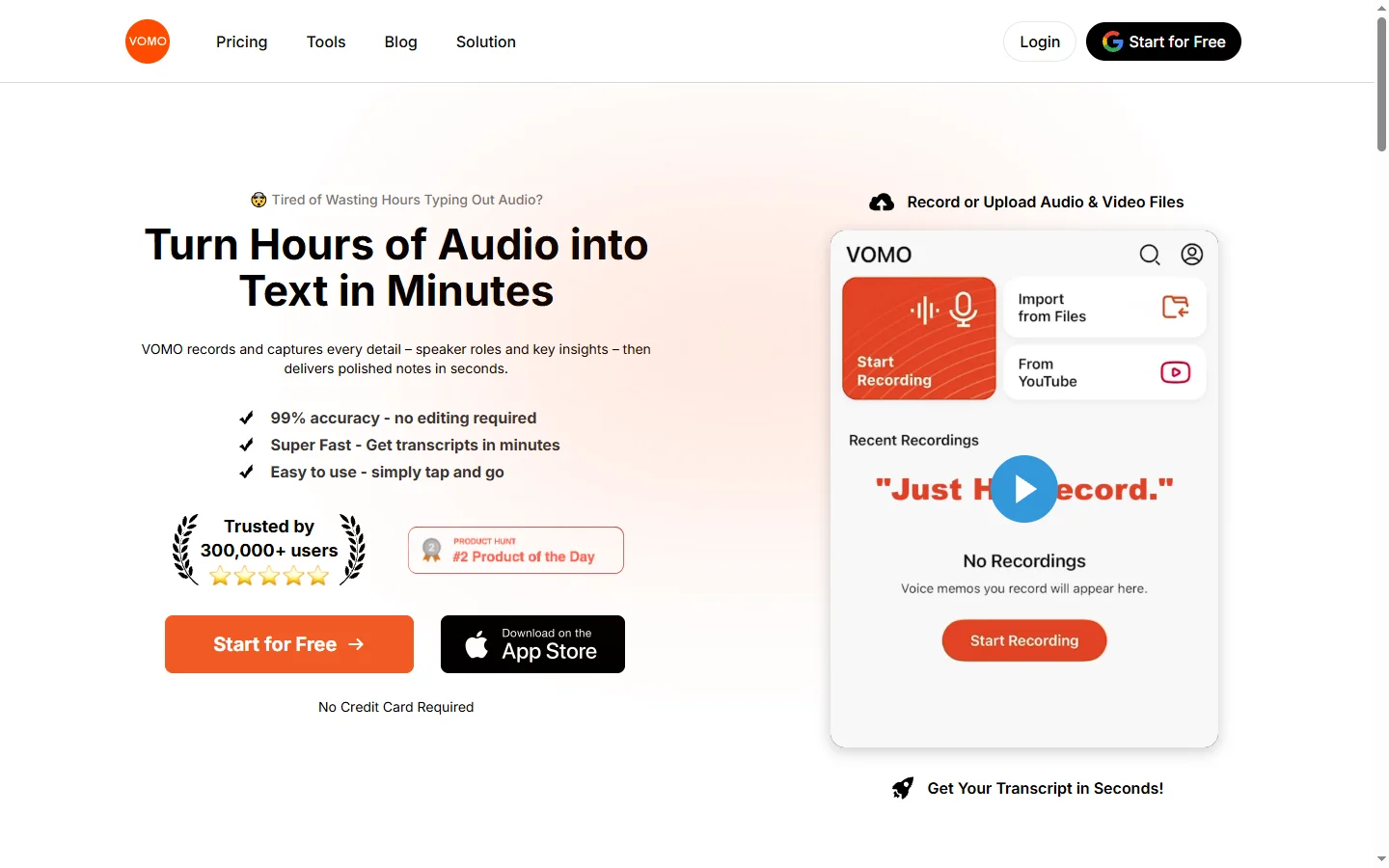
Vomo AI is a voice-first productivity tool that captures audio from meetings, interviews, lectures, and personal voice memos and converts them into accurate transcripts, concise summaries, and structured action items. The platform handles the entire workflow from recording to organized output, removing the need for manual note-taking during conversations. Users can record directly inside the app, upload existing audio files, or connect Vomo to calendar-based meetings for automatic capture. Once a recording ends, Vomo AI processes the content within minutes and presents the transcript alongside a layered summary that highlights key decisions, open questions, and follow-up tasks.
Vomo AI is designed for professionals who rely heavily on verbal communication — sales reps, journalists, consultants, researchers, and team leads — and need to extract structured information from spoken content without spending time re-listening to recordings. The AI identifies speakers, labels their contributions where possible, and lets users query the transcript conversationally using a built-in chat interface to extract specific answers, quotes, or topic threads from long recordings. This makes searching through recorded content faster than scrubbing audio manually.
The free tier supports a limited number of recordings per month, while paid plans extend recording time and unlock features like custom vocabulary for industry-specific terminology, higher-accuracy transcription models, and integrations with tools like Notion and Google Drive. Vomo AI competes with Otter.ai and Fathom in the AI recording and summarization space but distinguishes itself with a clean mobile-first interface and strong support for non-meeting audio like voice notes and field interviews.
⚡ Key Features of Vomo AI
Vomo AI Audio Recording and Transcription
Record audio directly inside the Vomo AI app or upload existing files in common formats including MP3, MP4, M4A, and WAV, and receive an accurate full transcript within minutes of the recording ending. The transcription engine handles natural conversational speech with reasonable accuracy on standard English accents and filters out filler words and crosstalk. Speaker identification labels contributions by speaker in supported recording modes, making it easier to attribute quotes and decisions. Custom vocabulary settings let users add names, product terms, and acronyms to improve accuracy for domain-specific content.
Structured AI Summaries
Vomo AI generates a layered summary of each recording that separates key points, decisions made, open questions, and action items into distinct sections rather than producing a single wall of text. The summary is generated automatically after transcription completes and requires no prompting or configuration from the user. Each summary section is linked back to the relevant timestamp in the transcript so users can verify context without re-listening to the full audio. Summary length adapts to recording duration, producing proportionate output rather than fixed-length abstractions.
Conversational Transcript Search
Ask questions about any recording using a built-in chat interface that queries the transcript and returns specific answers, quotes, and references rather than leaving users to keyword-search through long documents. The vomo ai chat feature handles questions like 'What did the client say about the budget?' or 'What are the next steps we agreed on?' and surfaces the relevant transcript sections with supporting context. This turns static recordings into searchable knowledge rather than passive archives. The feature works across all uploaded and recorded audio files in a user's library.
Calendar and Meeting Integration
Connect Vomo AI to Google Calendar or Outlook to automatically detect and record scheduled meetings without requiring manual recording activation before each session. The vomo ai recording assistant joins or listens to calls at the scheduled start time and delivers a completed transcript and summary shortly after the meeting ends. Integration reduces the risk of missing recordings due to late joins or forgotten activation. Completed notes are available on the mobile app and web dashboard immediately after processing.
Export and App Integrations
Export transcripts and summaries as plain text, Markdown, or PDF, or push notes directly to connected apps including Notion, Google Drive, and Slack without manual copy-pasting. Vomo AI export options preserve the structured format of the summary including section headers and action item lists so the content is immediately usable in target tools. Webhook and API access is available on higher plans for teams that need to route notes into custom workflows or CRM systems. Mobile share extensions allow quick export directly from the app.
Mobile-First Voice Memo Capture
The Vomo AI mobile app is optimized for recording on the go — capturing field interviews, in-person meetings, lectures, and spontaneous voice memos from a smartphone with one tap, then syncing processed transcripts and summaries to the cloud. The mobile interface surfaces recordings and their AI-generated notes in a clean feed that makes it easy to find and review recent captures without navigating a complex dashboard. Audio quality optimization applies noise reduction during processing to improve transcript accuracy for recordings made in less-than-ideal acoustic environments.
🎯 Use Cases for Vomo AI
⚖️ Vomo AI Pros & Cons
Advantages
- ✓Clean mobile-first interface suited to on-the-go recording beyond just scheduled meetings
- ✓Conversational transcript search makes long recordings practically searchable
- ✓Structured summaries with separated action items, decisions, and questions
- ✓Exports cleanly to Notion, Google Drive, and other productivity tools
Drawbacks
- ✗Free tier caps monthly recording time, limiting usefulness for heavy users without a subscription
- ✗Speaker identification accuracy varies with audio quality and overlapping speech
- ✗Non-English language support is limited compared to dedicated transcription platforms
📖 How to Use Vomo AI
Download the Vomo AI app or sign up at vomo.ai and create a free account.
Tap the record button to start capturing a meeting, interview, or voice memo, or upload an existing audio file.
Wait a few minutes after the recording ends for Vomo AI to generate a transcript and structured summary.
Review the summary sections — key points, decisions, action items — and check any item against the timestamped transcript.
Use the chat interface to ask specific questions about the recording content if you need to locate a particular detail.
Export the notes to Notion, Google Drive, or as a PDF, or copy the action items directly into your task manager.
❓ Vomo AI FAQ
Vomo AI is a voice recording and summarization app that transcribes audio from meetings, interviews, and voice memos and generates structured notes with key points, action items, and decisions automatically.
Vomo AI offers a free tier with a limited number of recordings per month. Paid plans extend recording time, add higher-accuracy transcription, and unlock integrations with Notion, Google Drive, and other apps.
Vomo AI transcription performs well on clear conversational English in standard recording conditions. Accuracy improves with the custom vocabulary feature, which lets users add domain-specific terms, names, and acronyms.
Both tools transcribe and summarize audio, but vomo ai is more focused on mobile-first voice memo capture and non-meeting recordings. Otter.ai has broader enterprise integrations and a longer track record, while Vomo AI emphasizes a cleaner interface and conversational transcript search.
Yes. Vomo AI accepts audio and video file uploads including MP3, MP4, M4A, and WAV formats and processes them through the same transcription and summarization pipeline as live recordings.
Related to Vomo AI


Featured on WhatIf.ai
Add this badge to your website to show you're listed on WhatIf AI
Alternatives to Vomo AI
A2E AI
A2E AI productivity platform converts audio and video recordings into transcripts, summaries, and action items with speaker identification.

Abnormal AI
Abnormal AI uses behavioral AI to detect business email compromise, account takeover, and socially engineered phishing that bypasses secure email gateways.

Abridge AI
Abridge AI medical documentation platform that records and summarizes clinical conversations into structured physician notes in real time.

Adobe Podcast AI
Adobe Podcast AI enhances spoken audio recordings by removing background noise and improving voice clarity to broadcast-quality standards.